
| System | Party sheet tabs | What you see |
|---|---|---|
| GUMSHOETrail of Cthulhu, Night's Black Agents and other presets | Investigative, General, Details | Ratings and pools for every ability in your preset, the best in the party, coverage and gaps, health, stability and sanity, occupations and drives. It replaces the system's own party sheet, and converts an existing party in one step. |
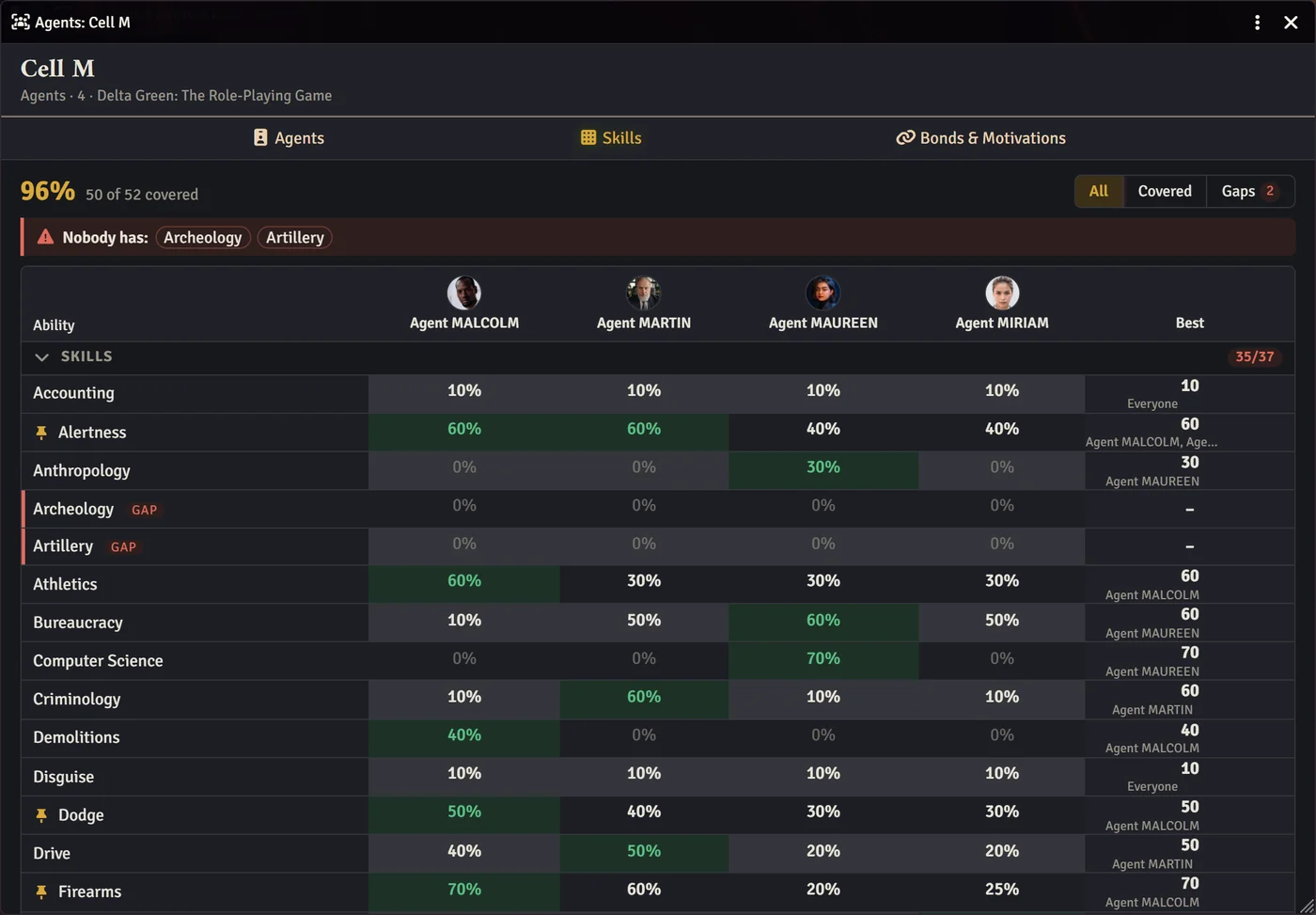
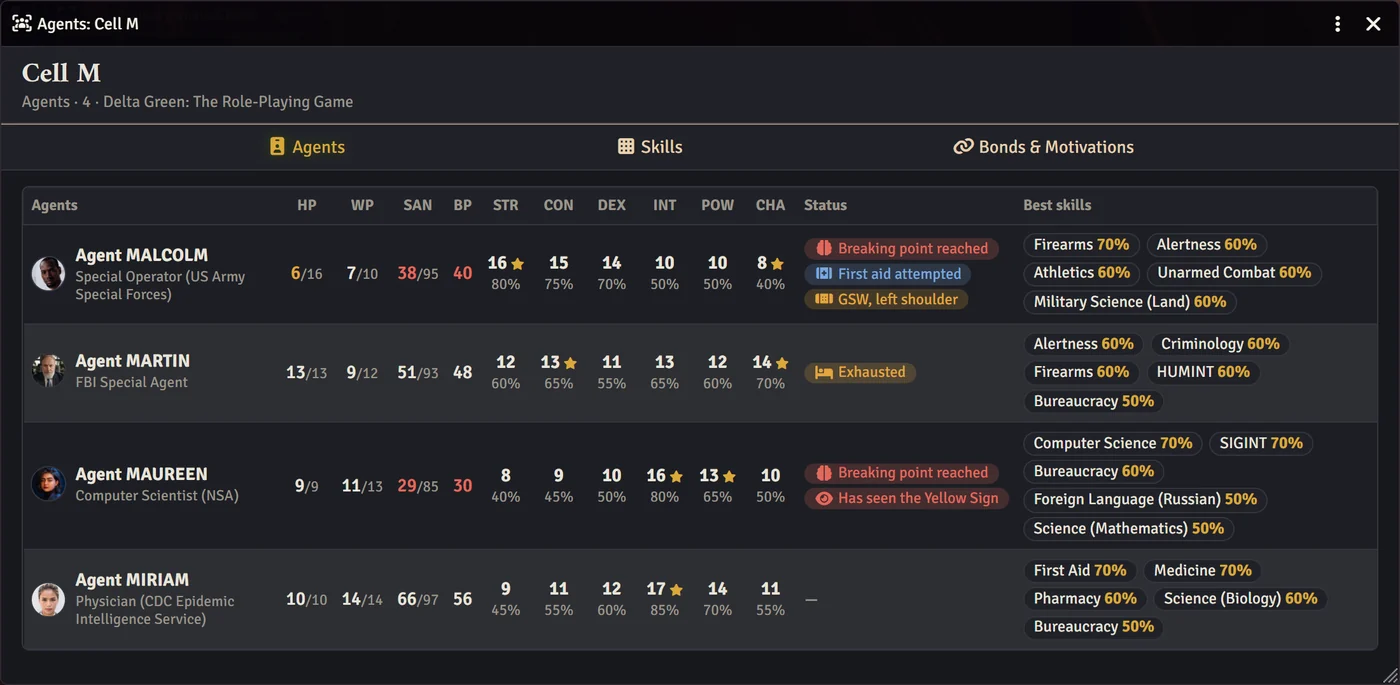
| Delta Green | Agents, Skills, Bonds & Motivations | Statistics, HP, WP and SAN, breaking points, skills and typed skills, bonds and their damage, motivations, disorders and adaptations. |
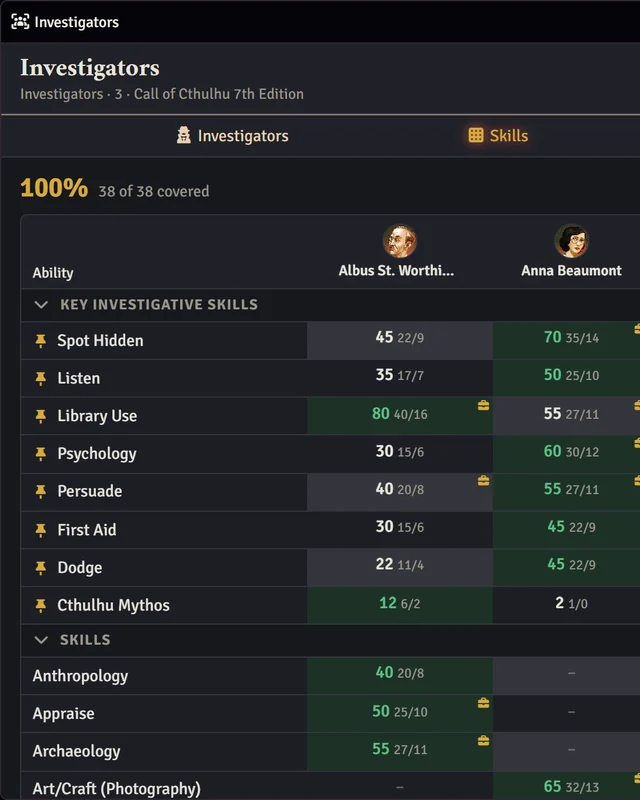
| Call of Cthulhu 7th Edition | Investigators, Skills, Sanity & Health | Characteristics with half and fifth values, Credit Rating, the key investigative skills pinned to the top, daily sanity loss against the indefinite-insanity limit, and major wounds. Pulp rules are detected. |
| Powered by the ApocalypseMonster of the Week, Brindlewood Bay, or your own sheet configuration | Characters, Moves | Stats with the best marked, every track and condition your sheet configuration defines, and each character's own moves. Every rollable move compared across the party, with who rolls it best. Columns come from your world's sheet configuration, so homebrew PbtA games work too. |
| Mystery EngineBrindlewood Bay, The Between, Public Access | Characters, Details | Abilities with the best marked, XP, conditions and unlocked moves, the doom track as boxes, your game's place with the items already used, and every label. The game is detected from your characters. |
| Any other system | Members | Every member's token bars, side by side. Other modules can add full support for more systems. |
Know your party at a glance.
Casefile: Party Sheets
Inspired by Pathfinder 2e's 'The Party' functionality, this module allows easy reporting on the PC's best skills, their status, and system-specific attributes.
What It Does
-
One Folder Is the Party
Mark any Actors folder as a party, or create one with a click, then drag your characters in and out like any other folder. There's no new actor type to manage and nothing to migrate if you stop using it.
The party folder gets its own icon in the sidebar. Click it and the party sheet opens.
-
Best Skills, and the Gaps
Every skill your system has, one row each, one column per character. The party's best is highlighted, coverage is counted, and anything nobody has is flagged before the scenario finds it for you.
Filter to the gaps only, and you have a shopping list for the next downtime.
-
Status at a Glance
Health, sanity, stability, willpower: whatever your system tracks, side by side, updated live as play goes on. Warnings surface on their own, like stability below zero, a breaking point reached, or indefinite insanity one bad roll away.
The party sheet is for the GM only. Players see nothing new, and their character sheets are unchanged.
The Evidence
Supported Systems
Install
- In Foundry's setup screen, open Add-on Modules and click Install Module.
- Search for Casefile: Party Sheets, or paste this manifest URL at the bottom and click Install:
https://www.casefilevtt.com/casefile-party-sheets/module.json - Enable it in your world under Manage Modules.
- In the Actors sidebar, click Create Investigators (or Agents, Hunters or Mavens, depending on your system), or right-click any folder and choose Mark as Party. Drag your characters in, then click the folder's sheet icon.
What changed in each version: release notes.
Contact
Found a bug, or want your system supported? Email me. Casefile is too small to have a Discord, but I do read all my emails.